Data management
Reconmap provides tools for administrators to manage the platform's data, including exporting for backups and importing from other instances.
Data export
The data export tool allows you to generate a JSON backup of your Reconmap data.

Go to System -> Export data to download a copy of:
- Clients and organisations
- Commands and tools
- Documents and templates
- Projects and tasks
- Users and roles
- Findings
Data import
You can restore data from a previously generated export file or migrate data between Reconmap instances using the import tool.

Go to System -> Import data to upload a Reconmap JSON export file.
The file is a JSON object whose keys are entity names and whose values are arrays of records. Records use the same property names as the export. Entities are imported in the order they appear in the file, so list parents (for example projects) before their children (tasks, assets, findings). Projects, tasks, reports and findings (and the ProjectId and ParentId fields that point at them) use UUIDs. Exports made before UUIDs were introduced contain integer ids for these entities and are rejected. Accepted entity names:
users,organisations,project_categories,finding_categories,custom_fieldsprojects,project_templates,project_members,tasks,assetsfindings,finding_templates,comments(older exports that usenotesare still accepted),reportsrunners,scan_runs(with nestedTasks),command_schedulesnotifications,webhooks,audit_log
commands and command_usages are accepted but ignored, because commands are built into the server. Any other name is reported as Unknown entity.
Generating demo data
testing/scripts/generate_demo_data.py generates a realistic dataset for demos and testing:
python3 testing/scripts/generate_demo_data.py 20 --seed 42 > demo.json
curl -X POST http://localhost:5510/api/system/data \
  -H "Authorization: Bearer $TOKEN" \
  -F "[email protected];type=application/json"
The first argument is the number of projects (default 20). Run it against a freshly initialised database: the generator references the categories and the Reconmap organisation seeded by the database, and it generates UUIDs for projects, tasks, reports (UUIDv7) and findings (UUIDv4), and ids that start at 1000 for the other tables. Importing the same file twice fails on unique names. Vault secrets and integrations are not generated.
Audit log
The audit log is a permanent record of all administrative and user actions within the platform.
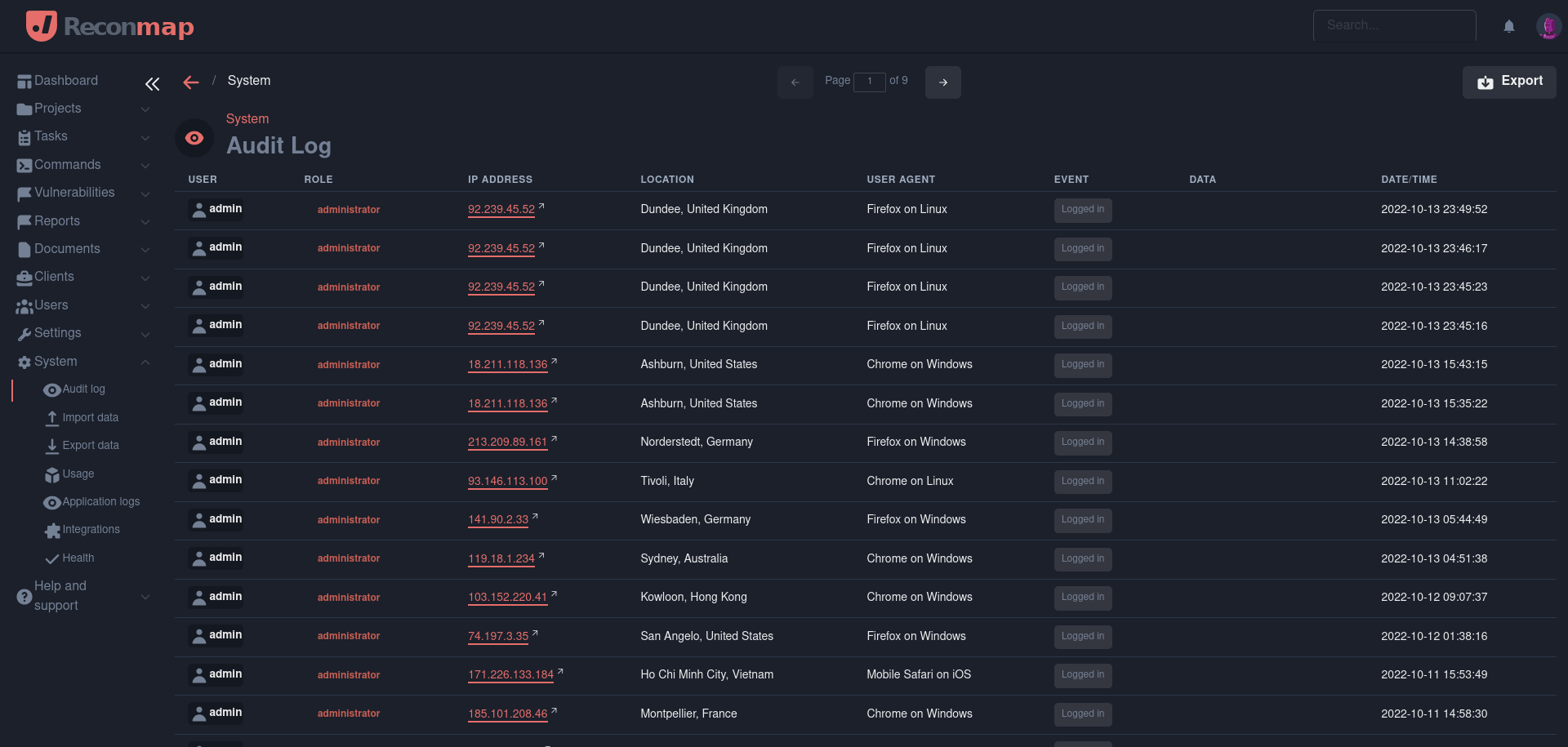
Go to System -> Audit log to review:
- User logins and logouts
- Resource creation, modification, and deletion
- Integration configuration changes
- System setting updates
Audit logs can be filtered and exported to CSV for external analysis and compliance reporting.